
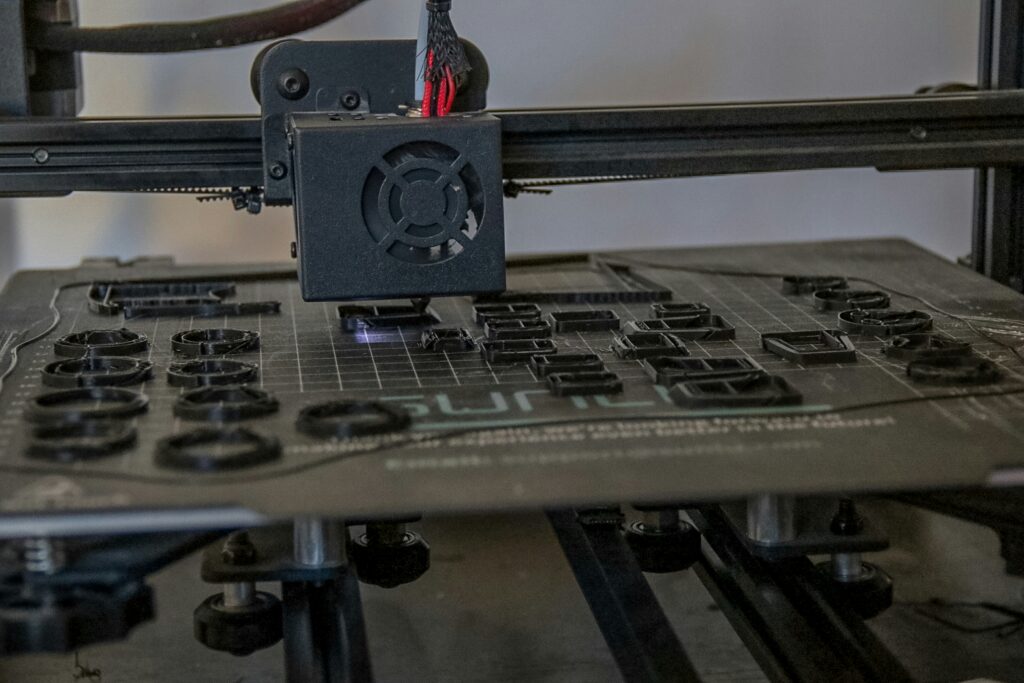
Most 3D printer problems trace back to one of a handful of root causes – a dirty or clogged nozzle, poor bed adhesion, a worn extruder, or filament that’s absorbed moisture. The good news is that nearly all of these are fixable with basic tools and a bit of know-how. Here’s a practical guide to keeping a 3D printer running well, and fixing it when it doesn’t.
Routine Maintenance Schedule
Most maintenance falls into a simple weekly/monthly rhythm:
Weekly (about 5 minutes)
- Clean the bed: Wipe with isopropyl alcohol (IPA) to remove fingerprints, oils, and residue – a clean bed prevents most adhesion issues before they start
- Check belt tension: Belts should be firm but not overtight – plucking a belt like a guitar string should produce a “twang,” not a dull “thud.” Loose belts cause layer shifting
- Inspect the nozzle area: Look for filament buildup or blobs around the hotend and clean them before they cause problems
Monthly (about 15-30 minutes)
- Lubricate linear rails and rods: A small amount of machine oil or white lithium grease on rods and rail carriages, moving the axes through their full range afterward to distribute it
- Clean extruder gears: Remove the filament and brush out dust and ground filament particles from the gear teeth – this buildup gradually reduces grip on the filament
- Check for loose fasteners: Vibration loosens bolts over time, especially on the print head and frame corners – snug (don’t overtighten) anything that’s worked loose
Cleaning a Clogged Nozzle
Signs a nozzle needs cleaning include under-extrusion, stringing, popping/crackling sounds, or filament curling up against the nozzle instead of dropping cleanly. The standard approach, from least to most involved:
- Cold pull: Heat the nozzle to printing temperature, insert cleaning filament (or the filament currently loaded), let it cool partially, then pull it out firmly – this often drags trapped debris out with it. This is the recommended first step for beginners: low-risk, effective, and a good way to learn how material moves through the hotend
- Needle cleaning: Heat the nozzle and use the fine cleaning needle that comes with most printers to clear the tip directly
- Nozzle replacement: If a cold pull doesn’t produce a clean result after a few attempts, replacing the nozzle outright is often faster and cheaper than continuing to fight it – brass nozzles cost around $1-5 each, so spending 30 minutes troubleshooting a sub-$5 part rarely makes sense once basic cleaning has failed
One detail that trips people up: if a nozzle is clogged badly enough that debris has backed up into the heat break (the section just above the nozzle), simply swapping the nozzle without clearing the heat break means that debris falls into the new nozzle on the very first print. Doing a cold pull through the heat break itself – removing the Bowden tube first, on printers that have one – before installing a new nozzle avoids this frustrating repeat failure.
Bed Adhesion: Why Prints Won’t Stick
Poor first-layer adhesion is one of the most common 3D printing problems, and it almost always comes down to one of a few causes:
| Cause | Fix |
| Dirty bed surface (oils, fingerprints, dust) | Clean with isopropyl alcohol before each print, or whenever adhesion seems off |
| Incorrect Z-offset / nozzle too far from bed | Recalibrate Z-offset; the first layer should slightly flatten the filament onto the bed, not leave it round and unsquished |
| Uneven bed leveling | Run auto bed leveling if available, or manually level using the printer’s standard procedure – recheck periodically, especially after replacing the nozzle or build plate |
| Wrong bed temperature for material | Match bed temperature to the filament (roughly 60°C for PLA, 80°C+ for PETG, 100°C+ for ABS) |
| Surface not suited to the material | For PETG or ABS specifically, a specialty build surface designed for that material can help significantly |
For materials or prints that need extra help, adhesion aids like glue sticks, painter’s tape, or hairspray-style adhesives can supplement a clean, level, correctly-heated bed – though these are generally a supplement to good fundamentals, not a substitute for them.
3D Printer Glue and Adhesion Aids: What to Use
“3D printer glue” usually refers to bed adhesion products – water-soluble glue sticks designed specifically for 3D printing beds are the most common and forgiving option, applying a thin tacky layer that helps the first layer stick without permanently bonding the print to the bed. These wash off easily with water once a print is removed.
For more stubborn materials, specialty adhesives or surface treatments designed for specific filaments (particularly ABS, which can benefit from an ABS slurry – dissolved ABS in acetone, brushed thinly onto glass) are sometimes used, though these are more involved and not necessary for most PLA and PETG printing on a properly prepared bed.
Extruder and Stepper Motor Issues
The extruder – the mechanism that grips and pushes filament into the hotend – is a common source of under-extrusion problems that aren’t related to the nozzle at all. A simple test: mark the filament with a marker at a measured distance from the extruder entrance, command a specific extrusion amount (e.g., 100mm), then measure how far the mark actually moved. If it’s significantly less than commanded, the extruder is slipping rather than gripping properly.
- Clean the drive gear: Ground filament dust packs into the gear teeth over time, reducing grip – removing the filament and brushing out the gear teeth often resolves slipping
- Check tension: The tension screw should be adjusted so filament can be gripped firmly between fingers and felt as resistance, without the gear leaving deep tooth marks in the filament
- Inspect the filament path: At certain print head positions, a Bowden tube can bend sharply and increase friction – if under-extrusion correlates with specific X/Y positions during a print, tube routing is a likely culprit
Stepper motors themselves rarely fail outright, but “motor skipping” – where a motor briefly loses its position, causing layer shifts – is often actually a mechanical issue (loose belts, an obstruction in the motion path, or something physically binding) rather than a motor problem. Checking belts and the physical motion path before assuming a stepper motor needs replacing saves unnecessary part-swapping.
Heat Creep: A Sneaky Mid-Print Failure
A specific and often-misdiagnosed issue: a print starts fine, then under-extrusion begins 10-30 minutes in, even though the extruder appears to be working and manual filament push feels normal when the hot end is at temperature. This is often “heat creep” – heat traveling up the heat break and softening filament before it reaches the melt zone, where the softened filament expands and increases friction until the extruder can no longer push it through.
The telltale sign is a print failing at a consistent time into the job, every time – because the heat break takes roughly that long to reach the critical temperature. The fix is checking the hot end’s cooling fan: it needs to run at full speed from the moment the hot end reaches temperature, since that fan is specifically responsible for keeping the heat break cool enough to prevent this issue.
Build Plate Care
Build plates (glass, PEI-coated spring steel, or similar) should be inspected periodically for chips or cracks, since even minor surface damage can affect adhesion and print quality across the whole bed. For materials prone to adhesion issues – particularly PETG, which can sometimes bond too well to certain surfaces – a specialty build surface designed for that material can simplify both adhesion and print removal.
As a rough lifespan guide, build surfaces are commonly replaced when adhesion problems persist despite thorough cleaning and otherwise-correct settings – often in the $10-25 range for a replacement, making it a reasonably affordable fix once other causes have been ruled out.
Resin vs. Filament Printers: Different Maintenance Entirely
Everything above applies to FDM (filament) printers. Resin printers – which cure liquid resin with UV light layer by layer – have an entirely different maintenance profile: cleaning the resin vat and build plate between prints, replacing the FEP film periodically, washing and post-curing prints (often with dedicated wash-and-cure stations), and handling uncured resin carefully, since it’s a skin irritant in liquid form.
For anyone choosing between the two: FDM is generally lower-maintenance for casual use and better suited to functional, larger parts, while resin excels at fine detail (miniatures, jewelry, intricate models) at the cost of a messier, more involved post-processing routine for every single print, regardless of how simple the model is.
Parts That Wear Out (And What They Cost)
| Part | Typical Cost | Replace When |
| Nozzle | $1-5 | Every 500-1,000 print hours, or when quality drops and cleaning doesn’t help |
| PTFE tube | $5-10 | Annually, or when discolored |
| Build surface | $10-25 | When adhesion fails despite cleaning and otherwise-correct settings |
How Material Choice Affects Maintenance
The maintenance burden of a 3D printer isn’t fixed – it changes significantly depending on what materials get printed regularly, which is worth factoring in before settling into a routine based only on whatever filament came with the printer.
- PLA: The lowest-maintenance option. Standard brass nozzles handle it well, bed adhesion is generally forgiving, and PLA’s lower moisture sensitivity means filament storage can be relatively casual for occasional use
- PETG: A step up in maintenance attention – PETG can occasionally bond too well to certain bed surfaces (sometimes requiring a specialty surface to avoid damaging the bed on removal), and it’s more moisture-sensitive than PLA, making filament storage more important
- ABS/ASA: Adds enclosure and ventilation maintenance to the mix – keeping an enclosure’s environment stable, managing any fumes appropriately, and dealing with these materials’ tendency to warp without consistent temperature
- Carbon fiber, glass fiber, and metal-filled filaments: Significantly increase nozzle wear – a standard brass nozzle can wear out noticeably faster when printing abrasive materials regularly, making a hardened nozzle a near-necessity rather than an optional upgrade for anyone printing these materials often
- Nylon: Adds the most demanding filament storage and drying requirements of any common material, given how quickly it absorbs moisture – for regular nylon printing, a dedicated dry box setup becomes part of the routine maintenance, not just an occasional fix
A practical takeaway: if a printer is showing more wear, more clogs, or more adhesion issues than expected for its age, checking whether recent prints have used a more demanding material (carbon fiber, metal-filled, or high volumes of PETG/ABS) is worth doing before assuming something is fundamentally wrong with the machine itself. Sometimes the printer isn’t broken – it’s just been asked to do a harder job than its standard maintenance routine was built around.
Frequently Asked Questions
How do I clean a clogged 3D printer nozzle?
Start with a cold pull – heat the nozzle, insert filament, let it cool partially, then pull it out to drag debris with it. If that doesn’t work after a few attempts, a fine cleaning needle or simply replacing the nozzle (often $1-5) is usually faster than continued troubleshooting.
Why won’t my print stick to the bed?
The most common causes are a dirty bed surface, incorrect Z-offset, uneven bed leveling, or wrong bed temperature for the material. Cleaning the bed with isopropyl alcohol and rechecking Z-offset and leveling resolves most adhesion issues.
What glue should I use for 3D printer bed adhesion?
Water-soluble glue sticks made specifically for 3D printing are the standard, forgiving option for most materials – they wash off easily and help the first layer stick without bonding permanently. More involved adhesives (like ABS slurry) exist for specific materials but aren’t necessary for typical PLA or PETG printing.
Why is my printer under-extruding partway through a print?
If under-extrusion starts consistently 10-30 minutes into a print, it may be heat creep – check that the hot end’s cooling fan is running at full speed. If under-extrusion happens from the start or correlates with specific print head positions, check the extruder’s grip on the filament and the Bowden tube routing instead.
Is resin or filament (FDM) easier to maintain?
FDM is generally lower-maintenance for casual use – mainly nozzle, bed, and extruder care. Resin printers require cleaning the vat and build plate, periodic FEP film replacement, and washing/post-curing every print, with extra care needed around handling uncured resin.
Does the type of filament affect how often I need to do maintenance?
Yes – PLA is the lowest-maintenance option, while carbon fiber, glass fiber, and metal-filled filaments wear nozzles faster, and nylon requires significantly more attention to filament drying and storage than other common materials.
Final Thoughts
The vast majority of 3D printer problems – clogs, adhesion failures, under-extrusion, layer shifting – trace back to a handful of root causes that are genuinely fixable with basic tools, a cold pull, some isopropyl alcohol, and occasional attention to belts and gears. Building a simple weekly and monthly maintenance habit catches most issues before they cause a failed print, and knowing the handful of common failure patterns – heat creep, a dirty extruder gear, a worn nozzle – turns most troubleshooting from a mystery into a quick checklist.