
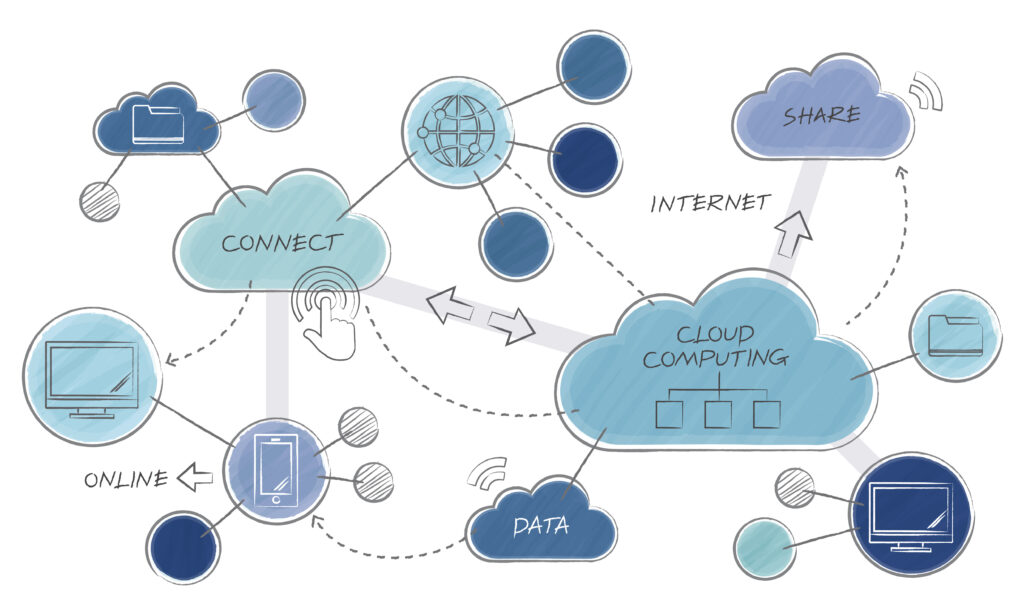
Cloud computing has moved from a specialist IT term to a foundational business concept in a remarkably short time. Most organizations — from solo freelancers to global enterprises — now rely on cloud infrastructure for some or all of their computing needs, often without fully understanding what the technology is or how to use it strategically. This guide covers the cloud computing essentials that every business owner, manager, or professional needs to understand: what the cloud actually is, what it can do for a business, how the different service models work, and how organizations approach moving to the cloud.
What Is Cloud Computing?
Cloud computing is the delivery of computing services — including storage, processing power, databases, networking, software, and analytics — over the internet rather than through local hardware. Instead of running programs on your own computer or storing data on your own servers, you access these resources from remote data centers managed by cloud providers and pay for what you use.
The ‘cloud’ is not a single physical location — it is a global network of data centers operated by companies like Amazon, Microsoft, and Google, connected through the internet. When you save a file to Google Drive, send an email through Gmail, or run a business application through Salesforce, you are using cloud computing.
The practical significance is that cloud computing converts capital expenditure (buying servers, building data centers) into operational expenditure (monthly service fees proportional to usage). This changes the economics of computing dramatically, particularly for smaller organizations that previously could not afford enterprise-scale infrastructure.
Key Benefits of Cloud Computing for Businesses
Cost Efficiency
The most immediate business benefit of cloud computing is the elimination of large upfront infrastructure costs. Traditional IT required purchasing servers, networking equipment, cooling systems, and physical space — all before processing a single byte of business data. Cloud computing replaces this with a pay-as-you-go model where you pay only for the resources you actually use.
This is particularly significant for startups and growing businesses. A company launching a new digital service no longer needs to guess its hardware needs two years in advance and purchase accordingly. It can start small and scale the infrastructure alongside the business, avoiding both over-provisioning waste and under-provisioning constraints.
Scalability on Demand
Cloud resources scale up or down within minutes based on demand. A retail business experiencing a sales spike during the holiday season can expand its computing capacity to handle the load and then reduce it afterward. An e-commerce platform launching a major promotion can provision additional server capacity hours in advance and release it the following day.
This elasticity — the ability to scale resources dynamically — was previously available only to organizations large enough to maintain significant spare capacity. Cloud computing makes it available to any business regardless of size.
Remote Access and Business Continuity
Cloud-based applications and data are accessible from any device with an internet connection, from anywhere in the world. This enables remote work, distributed teams, and business continuity during physical disruptions — office closures, natural disasters, or equipment failures — that would have paralyzed on-premises operations.
The COVID-19 pandemic demonstrated this advantage clearly. Organizations already using cloud-based tools maintained operational continuity through distributed work; organizations dependent on on-premises systems faced significant disruption during the transition.
Automatic Updates and Maintenance
Cloud providers maintain the underlying infrastructure — hardware, operating systems, security patches, and performance improvements — without requiring action from users. Business software delivered as cloud services (SaaS) is updated automatically, ensuring all users always have the latest version without IT deployment overhead.
Enhanced Security
Major cloud providers invest in security at a scale that individual businesses cannot match. Physical security of data centers, 24/7 security monitoring, automated threat detection, regular penetration testing, and compliance certifications represent billions of dollars of investment that cloud customers inherit when they use the service.
This does not mean cloud computing is automatically secure — organizations are still responsible for configuring their cloud environments correctly, managing access controls, and protecting their applications. But the underlying infrastructure security baseline is significantly higher than most businesses could achieve with their own hardware.
Collaboration
Cloud-based tools enable real-time collaboration across locations. Multiple team members can simultaneously edit the same document, update the same database, or work within the same project management system. Version control, change tracking, and instant synchronization eliminate the confusion of emailing document drafts back and forth.
Cloud Computing Service Models: IaaS, PaaS, and SaaS
Cloud computing is delivered through three fundamental service models that differ in what the provider manages versus what the customer manages. Understanding these models is essential for making informed procurement and architecture decisions.
Infrastructure as a Service (IaaS)
IaaS provides the fundamental computing infrastructure — virtual machines, storage, networking, and operating systems — on demand over the internet. The cloud provider manages the physical hardware and the virtualization layer; the customer manages everything above that, including operating system configuration, middleware, applications, and data.
IaaS is the most flexible service model and the closest equivalent to having your own physical servers, but without the capital investment or maintenance burden. It is appropriate for organizations with significant IT capability who want control over their environment, running custom applications, or migrating existing systems to the cloud.
Leading IaaS providers include Amazon Web Services (EC2, S3), Microsoft Azure Virtual Machines, and Google Compute Engine.
Platform as a Service (PaaS)
PaaS provides a development and deployment platform — including the operating system, middleware, runtime, and development tools — so developers can build and run applications without managing the underlying infrastructure. The cloud provider manages everything from the hardware to the runtime environment; developers focus purely on their application code and data.
PaaS dramatically accelerates application development by eliminating infrastructure setup and management. A development team building a new web application can use PaaS to provision a database, set up an application server, configure load balancing, and establish automated deployment pipelines in hours rather than weeks.
Examples include AWS Elastic Beanstalk, Microsoft Azure App Service, and Google App Engine.
Software as a Service (SaaS)
SaaS delivers complete software applications over the internet on a subscription basis. The provider manages everything — hardware, platform, application code, and data storage. Users access the application through a web browser or mobile app without installing or maintaining anything locally.
SaaS is the most widely used cloud model and the most accessible to non-technical users. Most business professionals already use multiple SaaS products daily without categorizing them as cloud computing: Google Workspace, Microsoft 365, Salesforce, Slack, Zoom, QuickBooks Online, and Shopify are all SaaS applications.
For small and medium businesses, SaaS is often the primary cloud computing strategy — accessing enterprise-grade tools on affordable subscription terms without any IT infrastructure investment.
Types of Cloud Deployment: Public, Private, and Hybrid
Public Cloud
Public cloud infrastructure is owned and operated by a third-party provider and shared among multiple customers (tenants). Each customer’s data and workloads are logically isolated from others but run on shared physical hardware. Public cloud is the most cost-effective deployment model because the infrastructure costs are shared across thousands of customers.
AWS, Microsoft Azure, and Google Cloud are public cloud platforms. Most cloud computing consumption globally occurs on public cloud infrastructure, and for most business workloads — web applications, collaboration tools, data analytics, and development environments — public cloud is the appropriate choice.
Private Cloud
Private cloud infrastructure is dedicated to a single organization. It may be hosted on-premises in the organization’s own data center, or hosted by a third-party provider in a dedicated environment. Private cloud provides the highest level of control, customization, and security isolation but requires significant investment and expertise to operate.
Private cloud is chosen when regulatory requirements mandate data sovereignty (data must remain within a specific jurisdiction), when security requirements prohibit sharing physical infrastructure, or when specialized performance requirements cannot be met on public cloud. Financial institutions, healthcare organizations, and government agencies are common private cloud users.
Hybrid Cloud
Hybrid cloud combines public and private cloud environments, allowing workloads to move between them based on requirements. An organization might keep sensitive customer data and regulated workloads on private infrastructure while using public cloud for development environments, analytics, and customer-facing applications that benefit from public cloud scalability.
Hybrid cloud is the most common enterprise architecture because it allows organizations to optimize for different requirements simultaneously — compliance and control for sensitive workloads, cost efficiency and elasticity for less sensitive ones.
Multi-Cloud
Multi-cloud refers to using multiple public cloud providers simultaneously. An organization might use AWS for its global content delivery capabilities, Microsoft Azure for its Microsoft ecosystem integrations, and Google Cloud for its AI and machine learning tools.
Multi-cloud reduces vendor lock-in risk, allows best-of-breed service selection, and provides redundancy. The trade-off is increased management complexity — operating across multiple cloud platforms requires broader team skills and more sophisticated governance.
Cloud Security Essentials
Security is the most common concern organizations raise about cloud computing. Understanding how cloud security works and what organizations are responsible for is essential for confident cloud adoption.
The Shared Responsibility Model
The most important cloud security concept is the shared responsibility model. Cloud providers secure the infrastructure — physical data centers, hardware, networking, and the virtualization layer. Customers are responsible for securing what they deploy in the cloud — their applications, data, identity and access management, and network configurations.
Many cloud security incidents occur not because the provider was breached but because customers misconfigured their cloud environments — leaving storage buckets publicly accessible, using weak credentials, or failing to enable encryption. Understanding this division of responsibility is essential for building a secure cloud strategy.
Data Encryption
Cloud providers encrypt data at rest (stored data) and in transit (data moving between systems). For particularly sensitive data, organizations should use customer-managed encryption keys — encryption keys that the organization controls rather than the provider — so that even the provider cannot access the data without the customer’s key.
Identity and Access Management
Controlling who has access to cloud resources is the most critical customer-controlled security measure. Cloud providers offer identity and access management (IAM) systems that allow organizations to grant specific permissions to specific users and services on a least-privilege basis — each account has access only to what it needs for its specific function.
Multi-factor authentication (MFA) should be mandatory for all cloud console access, particularly for accounts with administrative privileges.
Compliance and Regulatory Frameworks
Major cloud providers maintain compliance certifications for major regulatory frameworks including GDPR, HIPAA, SOC 2, ISO 27001, and PCI DSS. These certifications mean the provider’s infrastructure meets the technical requirements of these frameworks. However, organizations are still responsible for ensuring their use of cloud services meets their specific regulatory obligations — the provider’s compliance does not automatically make the customer’s application compliant.
Cloud Computing by Industry
- Healthcare: Cloud enables secure storage of electronic health records, telemedicine platforms, medical imaging storage and sharing, and AI-assisted diagnostic tools. Compliance with HIPAA (US) and equivalent regulations requires careful cloud configuration but does not prohibit cloud use.
- Financial services: Banks and financial institutions use cloud for fraud detection systems, risk modeling, customer-facing applications, and data analytics. Regulatory requirements drive hybrid cloud adoption in this sector.
- Retail and e-commerce: Cloud enables the elastic capacity that e-commerce requires — scaling to handle peak traffic during promotions and reducing capacity during slow periods. Inventory management, personalization engines, and supply chain systems all benefit from cloud scalability.
- Education: Learning management systems, student data platforms, video delivery for online courses, and collaboration tools are all cloud-based in modern educational institutions.
- Manufacturing: Supply chain management, production monitoring, predictive maintenance (using IoT sensor data analyzed in the cloud), and digital twin simulations drive cloud adoption in manufacturing.
Cloud Migration: How Businesses Move to the Cloud
Moving existing IT workloads to the cloud — cloud migration — is a structured process that requires planning, testing, and careful execution to avoid disruption.
The 6 R’s of Cloud Migration
AWS popularized the ‘6 R’s’ framework that categorizes migration approaches for individual applications:
- Rehost (Lift and Shift): Move the application to cloud infrastructure as-is, without modification. Fastest approach but does not leverage cloud-native benefits.
- Replatform (Lift, Tinker, and Shift): Make minor optimizations during migration — for example, moving a database to a managed cloud database service — without changing the core architecture.
- Repurchase: Replace the existing application with a SaaS equivalent. For example, replacing an on-premises CRM with Salesforce.
- Refactor / Re-architect: Redesign the application to leverage cloud-native capabilities — microservices, serverless functions, managed services. Most complex but highest long-term benefit.
- Retire: Decommission applications that are no longer needed, discovered during the migration assessment.
- Retain: Keep some applications on-premises if they are not suitable for cloud migration at this time.
Choosing a Cloud Provider
The three dominant public cloud providers are AWS, Microsoft Azure, and Google Cloud. AWS has the broadest service catalog and the most global data center coverage. Azure integrates most deeply with Microsoft enterprise products (Active Directory, Office 365, SQL Server). Google Cloud has strengths in AI, machine learning, and data analytics.
For most businesses, the choice depends on which existing tools and team skills are most relevant. Organizations heavily invested in Microsoft technologies typically find Azure the most natural extension. Developer-focused teams may prefer AWS for its breadth. Organizations prioritizing data and AI capabilities often favor Google Cloud.
Common Cloud Computing Challenges
Cost Management
Cloud costs can grow unexpectedly if usage is not monitored carefully. The pay-as-you-go model that eliminates upfront costs can produce surprising monthly bills if teams provision resources without oversight. Cloud cost management — tagging resources, setting billing alerts, using reserved instances for predictable workloads, and regularly reviewing and rightsizing resources — is an ongoing operational discipline.
Vendor Lock-In
Deeply integrating with a single cloud provider’s proprietary services creates dependency — switching providers becomes expensive and complex. Organizations can mitigate lock-in by using open standards where possible, containerizing applications (making them portable across cloud environments), and adopting multi-cloud strategies for critical workloads.
Skills and Expertise
Operating cloud environments effectively requires skills that differ from traditional IT. Cloud architecture, security configuration, cost optimization, and DevOps practices are all cloud-specific competencies. Organizations transitioning to cloud need to invest in training existing staff, hiring cloud specialists, or working with managed service providers during the transition.
Latency and Connectivity
Cloud-based applications depend on network connectivity. Applications requiring very low latency — real-time manufacturing systems, high-frequency trading, or interactive media production — may not be suitable for public cloud or may require edge computing solutions that bring cloud processing closer to where data is generated.
The Future of Cloud Computing
Serverless Computing
Serverless computing eliminates server management entirely — developers write code functions that execute in response to events, and the cloud provider automatically provisions, scales, and manages the infrastructure. Organizations pay only for the actual compute time consumed, not for idle server capacity. AWS Lambda, Azure Functions, and Google Cloud Functions are the leading serverless platforms.
AI and Machine Learning Integration
Cloud providers now offer AI and machine learning services that would have required specialist teams and infrastructure to build independently just a few years ago. Pre-trained models for image recognition, natural language processing, translation, and speech-to-text are available as API calls. Organizations can integrate sophisticated AI capabilities into their applications without building the underlying models themselves.
Edge Computing
Edge computing extends cloud processing to locations physically close to where data is generated — manufacturing floors, retail locations, vehicles, or telecommunications infrastructure. By processing data near the source rather than sending it to a central cloud data center, edge computing reduces latency and bandwidth requirements for IoT and real-time applications.
Quantum Computing in the Cloud
Quantum computing — which uses quantum mechanical phenomena to perform certain calculations dramatically faster than classical computers — is beginning to appear as a cloud service. AWS, IBM, and Microsoft offer cloud-accessible quantum computing resources for early adopters in research and optimization problems. Widespread practical quantum cloud computing remains years away but is an active development area.
Frequently Asked Questions
What are the cloud computing essentials for a small business?
For most small businesses, cloud computing essentials start with SaaS tools: a cloud-based productivity suite (Google Workspace or Microsoft 365), cloud storage (Google Drive, Dropbox, or OneDrive), and any industry-specific SaaS applications for accounting, CRM, or project management. These tools require no IT infrastructure investment and deliver immediate benefits for collaboration, remote access, and data backup. As the business grows, IaaS may become relevant for hosting custom applications or websites.
What is the difference between IaaS, PaaS, and SaaS?
IaaS (Infrastructure as a Service) provides raw computing infrastructure — virtual machines, storage, and networking — that organizations configure and manage themselves. PaaS (Platform as a Service) provides a managed platform for developers to build and deploy applications without managing the underlying infrastructure. SaaS (Software as a Service) provides complete, ready-to-use applications accessible through a browser, with no infrastructure or application management required from the user.
Is cloud computing secure?
Cloud computing from reputable providers is generally very secure at the infrastructure level — major providers invest billions in physical and cybersecurity. The security of an organization’s cloud environment depends significantly on how it is configured and managed, which is the customer’s responsibility under the shared responsibility model. Most cloud security incidents involve misconfiguration, weak credentials, or insufficient access controls rather than provider infrastructure breaches.
What is cloud migration?
Cloud migration is the process of moving applications, data, and IT workloads from on-premises infrastructure (or from one cloud environment) to cloud infrastructure. Migration approaches range from ‘lift and shift’ (moving workloads with no modification) to ‘refactoring’ (redesigning applications to use cloud-native capabilities). Most organizations use a combination of approaches across different applications based on the cost and benefit of each option.
Final Thoughts
Cloud computing has become a business essential rather than an optional technology upgrade. The cost efficiency, scalability, security baseline, and collaboration capabilities it provides are now competitive necessities across virtually every industry. Understanding the service models, deployment types, security responsibilities, and migration approaches covered in this guide gives any business the foundation to make informed cloud decisions.
The most important step is matching the right cloud model to each specific need — SaaS for standard business applications, IaaS or PaaS for custom technical workloads, public cloud for scalability and cost efficiency, and private or hybrid cloud where compliance or control requirements demand it. With that framework in place, cloud computing becomes a tool that grows with the business rather than a constraint that limits it.